
Repairing the JCS Databases
To keep JCS running smoothly and to optimise performance, we recommend performing a Repair and Compact procedure using the JCS Database Maintenance tool at least once a month.
This procedure can also be used to fix various errors in JCS, which may occasionally manifest as:
- Record is deleted
- No current record
- Your network access was interrupted...
- The Microsoft Access database engine cannot find the input table or query...
Performing a Repair and Compact
This procedure can only be carried out when all users have exited JCS and, depending on the database size and network speeds, may take about 5-10 minutes to complete.
1) Close the JCS app for all users.
2) Open the Database Maintenance app. If you don't have a desktop shortcut, search for "Database Maintenance" in the Windows start menu.
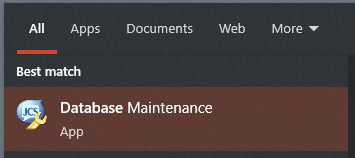
3) Log into Database Maintenance using your usual JCS credentials
4) From the menu, select Repair & Compact or Rebuild Databases
5) You should see a window similar to this:
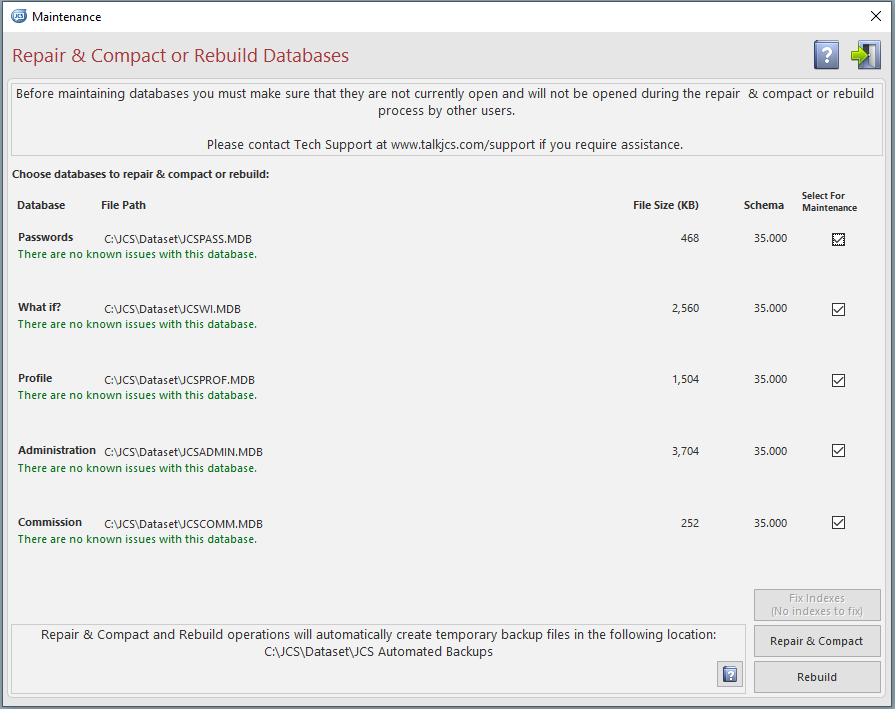
6) Click the Repair & Compact button and wait for it to complete. Please be patient; this may take several minutes to complete.
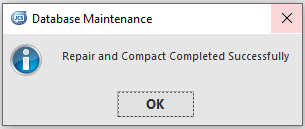
7) When finished, you should see this message. Close the Database Maintenance app to allow other users access to JCS.
Note
Occasionally errors can occur, preventing the Repair & Compact from completing. If this happens your data will be restored from a backup automatically made just before the procedure started. If you experience this, please contact JCS Tech Support for assistance: https://www.talkjcs.com/techsupport/technical-support.html